Growth makes inconsistency more expensive. One location has a different firewall, another uses older workstations, one office has a recurring imaging issue, another has unclear support escalation, and the newest acquisition uses different workflows than the rest of the group. At a small scale, those differences may feel manageable. Across a growing DSO or multi-location dental group, they create downtime, support delays, security gaps, training friction, and operational drag.
Standardizing IT across multiple dental locations does not mean every office has to be identical. It means leadership has clear standards for the systems, workflows, support processes, access controls, documentation, and technology decisions that affect daily operations. The goal is to create consistency where it improves performance, security, and scalability.
Start With a Current-State Assessment
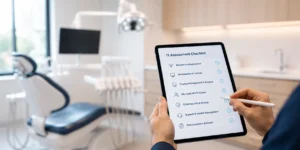
The first step is understanding what exists today. Many dental organizations grow through a combination of de novos, expansions, and acquisitions, which means each location may have a different technology environment. A current-state assessment should identify what is working, what is creating risk, and what is preventing standardization.
This review should include infrastructure, practice management and imaging systems, workstation age, Microsoft 365 configuration, user access, backups, cybersecurity tools, phones, printers, scanners, vendor contracts, recurring helpdesk issues, and location-level documentation. Without this baseline, it is difficult to prioritize which issues matter most.
Define the Standards That Actually Matter
Technology standards should support operations, not create unnecessary complexity. For most dental groups, the highest-value standards are the ones that improve uptime, support quality, security, onboarding, training, and visibility across locations.
- Hardware and workstation standards so offices are easier to support and replace.
- Network, firewall, backups, endpoint protection, and patching standards to reduce security and stability gaps.
- User access and Microsoft 365 standards for onboarding, offboarding, MFA, email, and permissions.
- PMS and imaging support standards so teams know how issues are handled and escalated.
- Documentation standards so support teams can resolve issues faster.
- Implementation and go-live standards so new locations are integrated consistently.
Centralize Support Without Losing Location Context
Centralized IT support is valuable, but it only works when the support team understands dental workflows. A PMS outage, sensor issue, imaging delay, or front desk workstation problem can immediately affect scheduling, billing, charting, and patient flow. Generic support often misses that urgency.
For multi-location dental IT, the right model combines centralized visibility with dental-specific context. Support teams should understand location standards, escalation paths, vendor contacts, software dependencies, office equipment, and how each issue affects clinical and administrative workflows.
Build a Repeatable Process for New Locations and Acquisitions
Every new location shouldn’t require a custom IT scramble. DSOs and growing practices need a repeatable process for de novos, acquisitions, and expansion projects. That process should define assessment, remediation, deployment, go-live support, training, and ongoing stabilization.
A repeatable framework helps leadership reduce surprises, shorten ramp-up time, coordinate vendors, manage user access, validate systems before opening day, and bring new locations closer to organizational standards from the start.
Don’t Ignore Training and Adoption
Standardization is not only technical. It is also behavioral. Teams need to understand the workflows, software processes, support channels, and expectations that come with the standard environment. Without training, even the best technology plan can create confusion after go-live.
Role-based training, workflow reinforcement, team readiness, leadership reporting, and staff onboarding all help make standardization part of daily operations instead of a one-time project.
Use Managed Services to Maintain Standards
Standardization is not finished after implementation. Hardware ages, users change, software updates, vendors rotate, offices add equipment, and support issues accumulate. Managed services help maintain the environment over time through monitoring, security, backups, documentation, planning, and proactive issue management.
For growing dental organizations, this is where standardization becomes sustainable. The organization is not just reacting to problems. It is managing technology as a core operational system that supports scale.
Ready to Standardize Across Every Location?
Thinc Forward helps DSOs, multi-location practices, and growing dental organizations standardize technology across locations without losing sight of daily patient care. From assessments and project support to helpdesk support, software training, managed services, and strategic planning, our team helps dental organizations scale with more consistency and less disruption.

Why is IT standardization important for DSOs?
IT standardization helps DSOs reduce downtime, improve support, strengthen security, simplify onboarding, create more consistent workflows, and scale technology across new and existing locations.
Not necessarily. Standardization means establishing clear technology, support, access, security, and workflow standards across the organization. Some location-specific differences may still be necessary.
Most organizations should start with security, backups, user access, documentation, workstation standards, network stability, PMS and imaging support processes, and onboarding/offboarding procedures.